Image Search Techniques: From Basic Queries to Verification
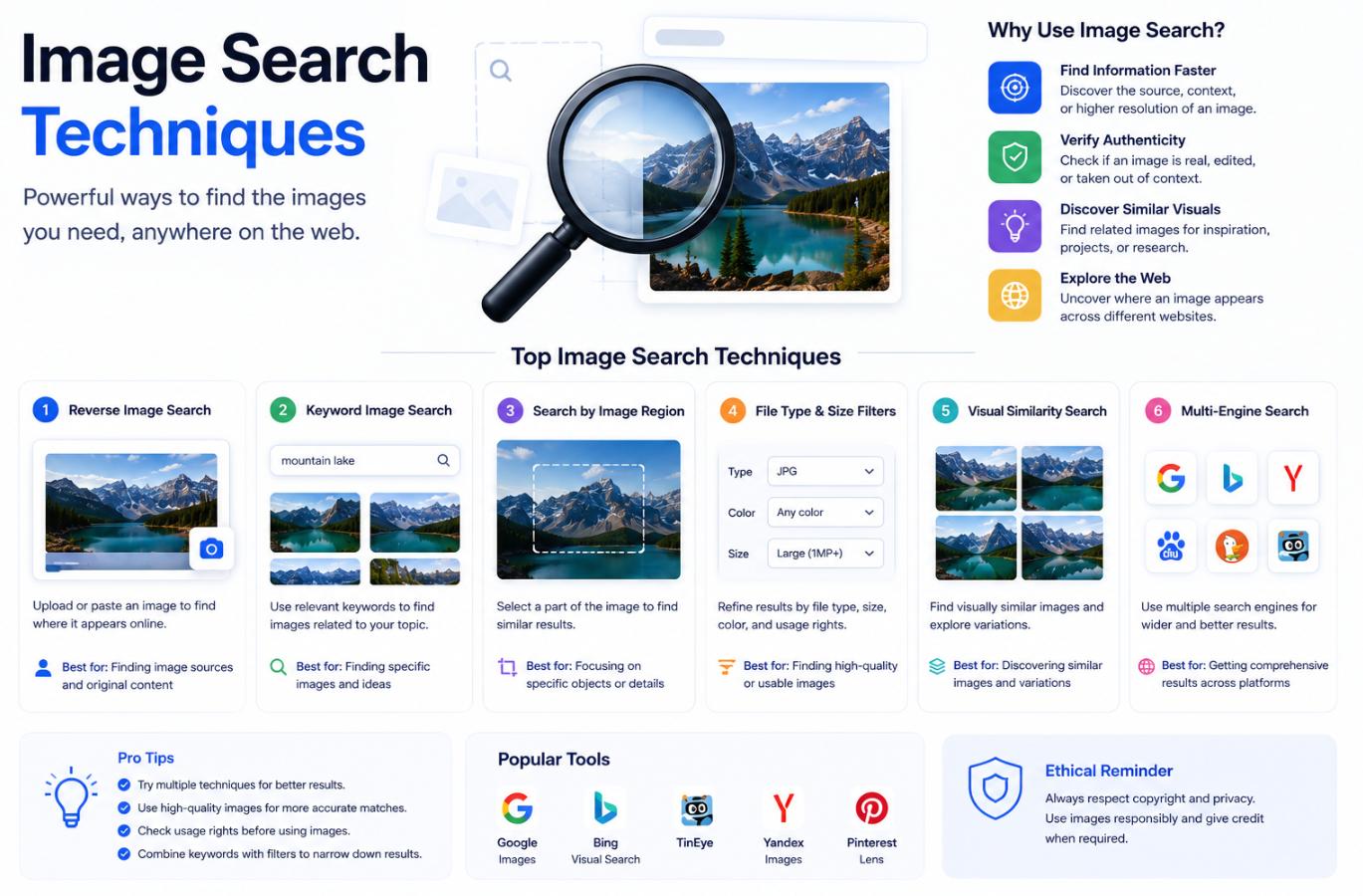
Image search stopped being a novelty around 2011 and has quietly become one of the most powerful investigative tools available on the consumer web. The techniques behind it have grown in parallel — from simple filename lookups to full visual similarity matching, from reverse image search to on-device AI models that identify plants, landmarks, and text in fractions of a second. Whoever knows how to use these tools well finds information others cannot. This piece walks through the techniques that make the difference between casually clicking a search button and actually running an image investigation.
Understanding the two directions of image search
All image search techniques fall into one of two broad directions, and confusing them leads to a lot of wasted time.
Forward image search starts with a text query and returns images. This is what most people mean when they say “image search” casually — typing “red-tailed hawk” into Google Images and browsing the results. The relevant techniques here concern operators, filters, and query construction to narrow results down to what you actually want.
Reverse image search starts with an image and returns information about it — where else it appears on the web, what the visual similarity looks like across sources, what a search engine’s image-understanding model believes the picture shows. This is the direction most professionals use for verification, source-finding, and investigation work.
Effective image search practice weaves the two directions together, feeding results from one into the other. A reverse search finds a similar-looking image with a caption, which produces new keywords for a forward search, which surfaces the original context. Learning to alternate between the two is a large part of what separates fast, effective image research from slow, frustrated clicking.
Forward image search — beyond the basics
Most users leave enormous amounts of relevance on the table by never using the filters and operators that image search engines actually support.
Search operators that still work
Standard Google search operators apply to image search too. Quoted phrases pin exact matches. The site: operator restricts results to a domain. The -word operator excludes terms. The filetype: operator narrows to specific image formats. Combined, these turn a query like a photograph of the Eiffel Tower from a wall of tourist snapshots into “eiffel tower” site:commons.wikimedia.org filetype:jpg — a search that produces high-quality, licence-clear results in seconds.
Filters for size, colour, and licence
Search engines expose filters that are underused because they are one click deeper than the initial results. Size filters — large, extra-large, exact dimensions — matter when the intended use is a wall print, a slide deck, or a website hero image. Colour filters find images that match a design palette. Licence filters (creative commons, commercial use permitted) protect against inadvertent copyright issues in professional work. Type filters distinguish photographs, illustrations, faces, and animations. Time filters return only recently indexed images, which matters when researching a currently unfolding topic.
Query construction discipline
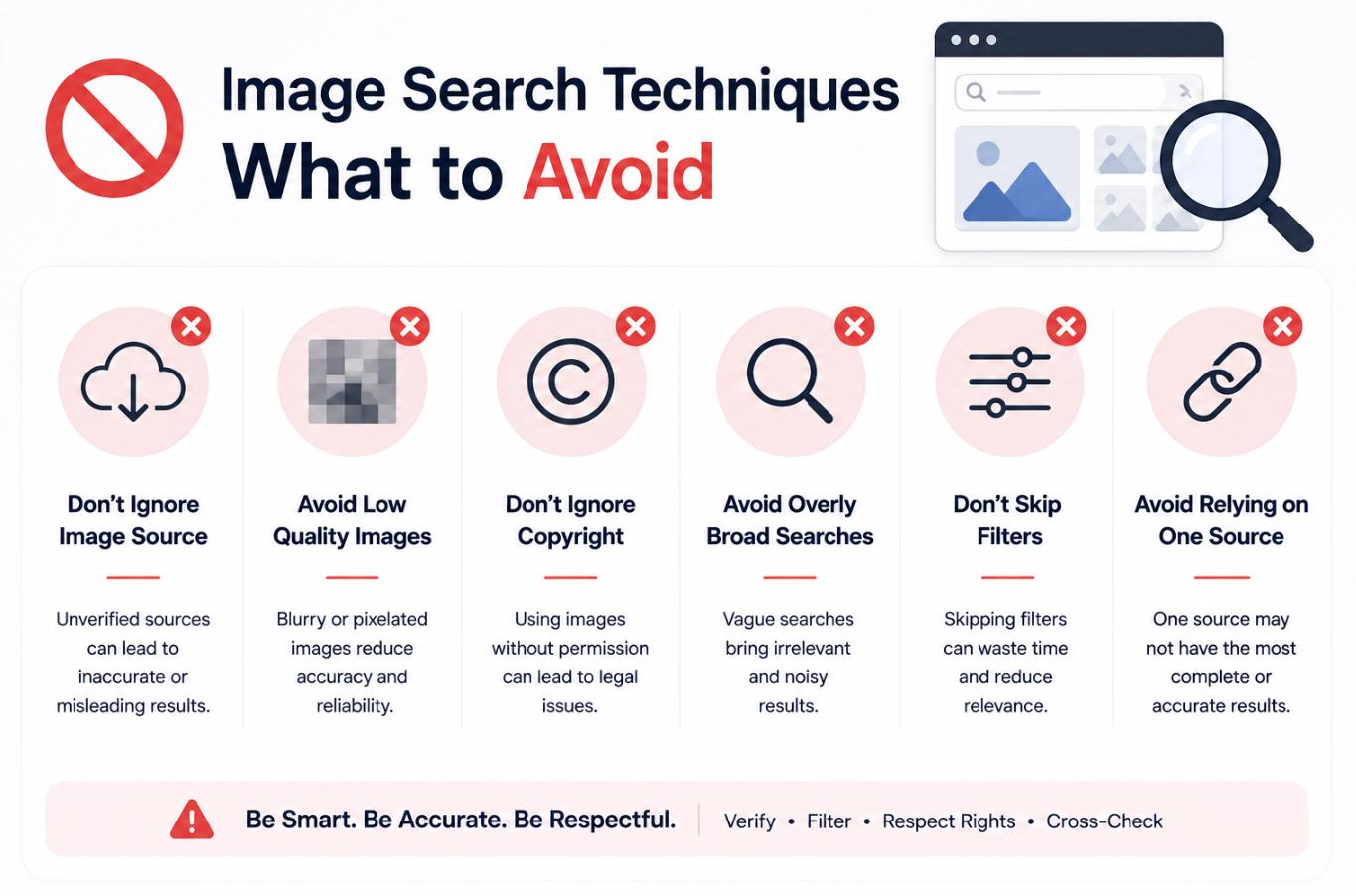
The single largest source of poor image search results is vague queries. “Coffee cup” returns a wall of stock imagery; “porcelain espresso cup with saucer on marble surface” returns a specific, useful subset. Descriptive queries loaded with visual detail — texture, material, lighting, colour, context — outperform short abstract ones by a wide margin. This is especially true against modern image search backends that use vision-language models to understand queries in a way earlier systems could not.
Reverse image search — the professional workflow
Reverse image search is where techniques compound most visibly. Working reverse image search well involves a set of habits that consistently outperform casual attempts.
Choose the right engine for the job
Different reverse image search engines have different strengths, and using them in parallel produces better results than depending on any single one.
| Engine | Strongest at | Weakest at |
|---|---|---|
| Google Images / Lens | General web coverage, object identification, text extraction | Exact-match near-duplicates that have been re-edited |
| TinEye | Finding exact and near-exact duplicates across time (sorts by oldest) | Broad visual similarity for altered images |
| Yandex Images | Facial matching, unusually strong on visually similar imagery | Political and geopolitical restrictions on some content |
| Bing Visual Search | Products, shopping, and consumer objects | Original-source discovery for older uploads |
| Pimeyes / FaceCheck.ID | Facial recognition against public web imagery | Ethical use is heavily constrained — deploy carefully |
| SauceNAO / IQDB | Illustration, anime, and specialised imagery communities | General-purpose photography |
Serious image investigation cycles through multiple engines. A single tool rarely produces the complete picture; using two or three in parallel routinely surfaces sources one would miss.
Prepare the image for search
Small preparation steps raise reverse-search accuracy substantially. Crop tightly to the subject before searching — most engines weight the whole image, so extraneous background dilutes the query. Increase contrast if the image is low-quality. Correct rotation if the image is not oriented the way it was originally posted. If the image contains multiple distinct subjects, run separate searches on each rather than on the whole composition.
Search parts, not just wholes
A powerful and underused technique is to crop out and search a distinctive detail — a logo, a tattoo, an unusual object in the background — separately from the main subject. Distinctive details are more likely to produce specific matches than an entire scene, and they frequently identify a source when a full-image search returns generic results.
Use the caption search loop
When reverse image search returns any result with a caption or description, feed the salient terms of that caption back into forward search. This “caption bounce” often locates the original context of an image faster than continuing to refine the reverse search alone.
AI-assisted image identification
Since roughly 2023, general-purpose AI models have become a legitimate part of the image search toolkit. Google Lens integrates deeply into Chrome and Android. Modern AI assistants (Claude, ChatGPT, Gemini, Copilot) accept image inputs and can describe scenes, identify objects, extract text, and reason about what an image shows. These capabilities complement search-engine reverse lookup rather than replacing it.
The useful pattern in 2026: pass an image through an AI assistant to get a rich verbal description, use the description to construct better forward-search queries, and use reverse image search engines for actual source-finding. Each tool does part of the job well, and none does the whole job as well as the combination.
A specific tactic worth knowing: AI models are often better than search engines at reading and translating text in an image. If an image contains a sign, a caption, or handwriting in an unfamiliar script, an AI assistant will typically extract and translate it in seconds. That extracted text then becomes a searchable string in a way the original image was not.
Verification and investigative technique
Image search is the foundation of much online verification work, from journalism to open-source intelligence to fact-checking.
- Reverse-search any image whose provenance matters. A “photograph from today’s event” that has been circulating online since 2014 is a common finding that image search reveals in seconds.
- Note the earliest publication date. TinEye’s oldest-first sort is particularly useful here — the first appearance of an image is often the original source.
- Compare visual details against known reference material. Landmarks, uniforms, signage, and vehicle plates all provide anchors that either confirm or contradict claimed context.
- Check the metadata when available. EXIF data on an image (camera model, date, sometimes GPS coordinates) survives when the image is downloaded directly but is stripped by most social media platforms. Its presence and consistency is a signal; its absence proves nothing.
- Use geolocation techniques when the image location matters. Prominent projects — Bellingcat’s investigations, GeoGuessr’s community — have developed a substantial toolkit around identifying image locations from visual cues. Vegetation patterns, road markings, architectural details, and even shadows carry information.
- Cross-check across languages. An image that appears misattributed in English-language coverage may have been correctly attributed in its language of origin. Reverse image search combined with in-language forward search catches these mismatches.
Practical habits for everyday use
Not every image search is investigative work. For everyday tasks — identifying a plant, finding a source for a screenshot, sourcing an image for a slide deck — a handful of habits pay off.
Keep at least two reverse image search tools bookmarked. Switching between them takes seconds and often catches sources one would miss.
Use browser extensions where they work. Right-click reverse image search extensions available for Chrome and Firefox turn a two-minute task into a one-click one for images already on a page. Google Lens is built into Chrome for exactly this purpose.
Get comfortable with mobile image search. Phone cameras plus Google Lens or a similar tool produce identifications in real time — historical buildings, artwork in museums, plants, insects, food. This is one of the most casually useful features on modern phones and remains underused.
Respect the constraints. Facial recognition tools work but come with real ethical and legal considerations. Copyright and licence restrictions apply to what you do with images you find. The techniques are powerful, and using them well includes using them responsibly.
A working close
Image search is one of those skills whose depth is largely invisible from the outside. Casual users see a search box and a wall of results. Practised users see a toolkit of operators, filters, engines, and combined workflows that produce specific information other people simply cannot get. The gap between the two is not talent; it is the small collection of techniques covered above, applied over enough searches to become reflexive. Any single one of them is worth learning; together, they change what the internet can be used for.