MagicSchool AI: What Teachers Get, and Where It Falls Short
Ask a teacher what they gave up when they started using MagicSchool AI and the honest answers cluster in a small area. The Sunday-afternoon slog of writing five parallel versions of a worksheet for different reading levels. The awkward first drafts of email replies to difficult parents. The lesson-plan template that never quite fits the standards, so it always gets rebuilt from scratch. Every one of those is a real task with a real cost in a teacher’s week, and reducing them by half is a tangible win regardless of how anyone feels about AI in classrooms.
That practical framing — what specific work gets easier — is the useful starting point for evaluating MagicSchool AI. The platform is one of the more visible entries in the educator-facing AI tool category, and the reasons for its adoption look less like futurism and more like time recovery.
What MagicSchool AI actually is
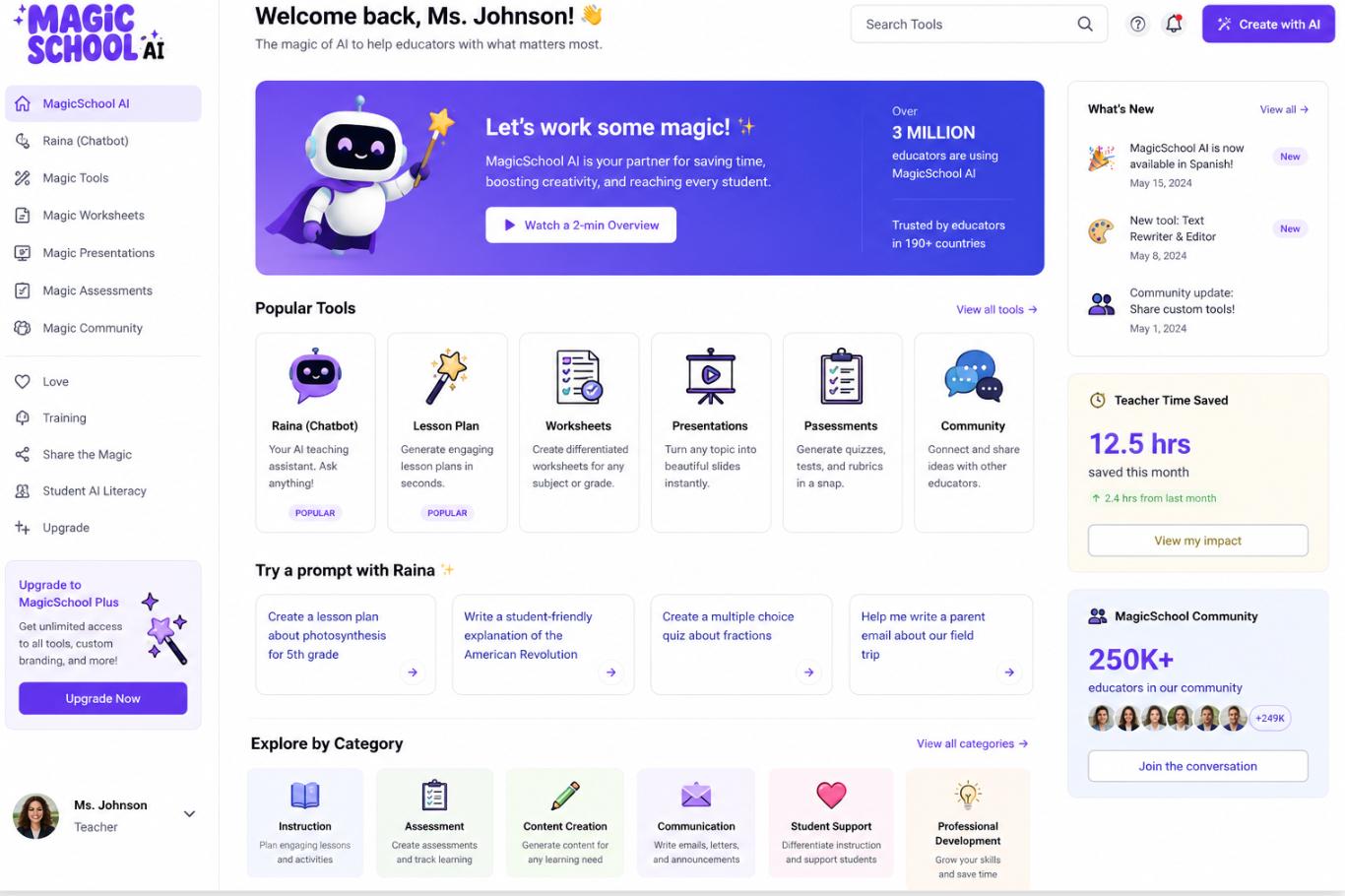
MagicSchool AI is a web platform built around a growing library of purpose-specific AI tools for K-12 educators. Rather than presenting a general-purpose chatbot, the platform surfaces named tools — “Lesson Plan Generator,” “Rubric Generator,” “IEP Generator,” “Text Leveler,” “Newsletter Generator,” and roughly a hundred more — each with a fixed input form designed for a specific classroom task and a language-model backend behind it that has been prompt-engineered for that output.
The design choice matters. General-purpose AI chatbots are extremely capable in the hands of a user who already knows how to ask, but the input effort to get consistently useful classroom output is nontrivial. MagicSchool absorbs that prompt-engineering into named tools with structured forms, which drops the effort per task closer to filling out a template than to negotiating with a model.
The categories of tools that show up most
Not all of the platform’s tools get equal use. Adoption clusters in a few practical areas.
Content generation and adaptation
The workhorse category. Tools that generate reading passages at a target grade level, adapt existing texts for higher or lower readers, produce vocabulary lists tied to a passage, or convert a set of standards into student-facing activities. Teachers use these constantly during unit planning and during in-the-moment differentiation.
Assessment and feedback support
Quiz generators, rubric builders, question-stem generators, and — importantly — feedback tools that take a student writing sample and generate suggestions the teacher can review and adapt. The feedback tools are among the more delicate offerings, because they touch student work directly and require teacher judgement more than the content tools do.
Communication
Email drafting, newsletter writing, translation of parent communications into home languages, and reply-drafting for difficult conversations. This category surprises new users with how much time it saves, largely because writing calibrated communication to families is itself a skill many teachers were never explicitly trained in.
Administrative and IEP work
IEP goal generators, behaviour-plan drafts, accommodation lists, and MTSS documentation support. These are the highest-leverage tools per minute of use for special-education teachers and case managers, and they are also the tools where careful review is most important — the output feeds legally consequential documents.
A workflow that actually saves time
The gap between “used the tool once” and “recovered five hours a week” is a workflow, not a tool. Teachers who get the most out of MagicSchool tend to converge on a small set of habits.
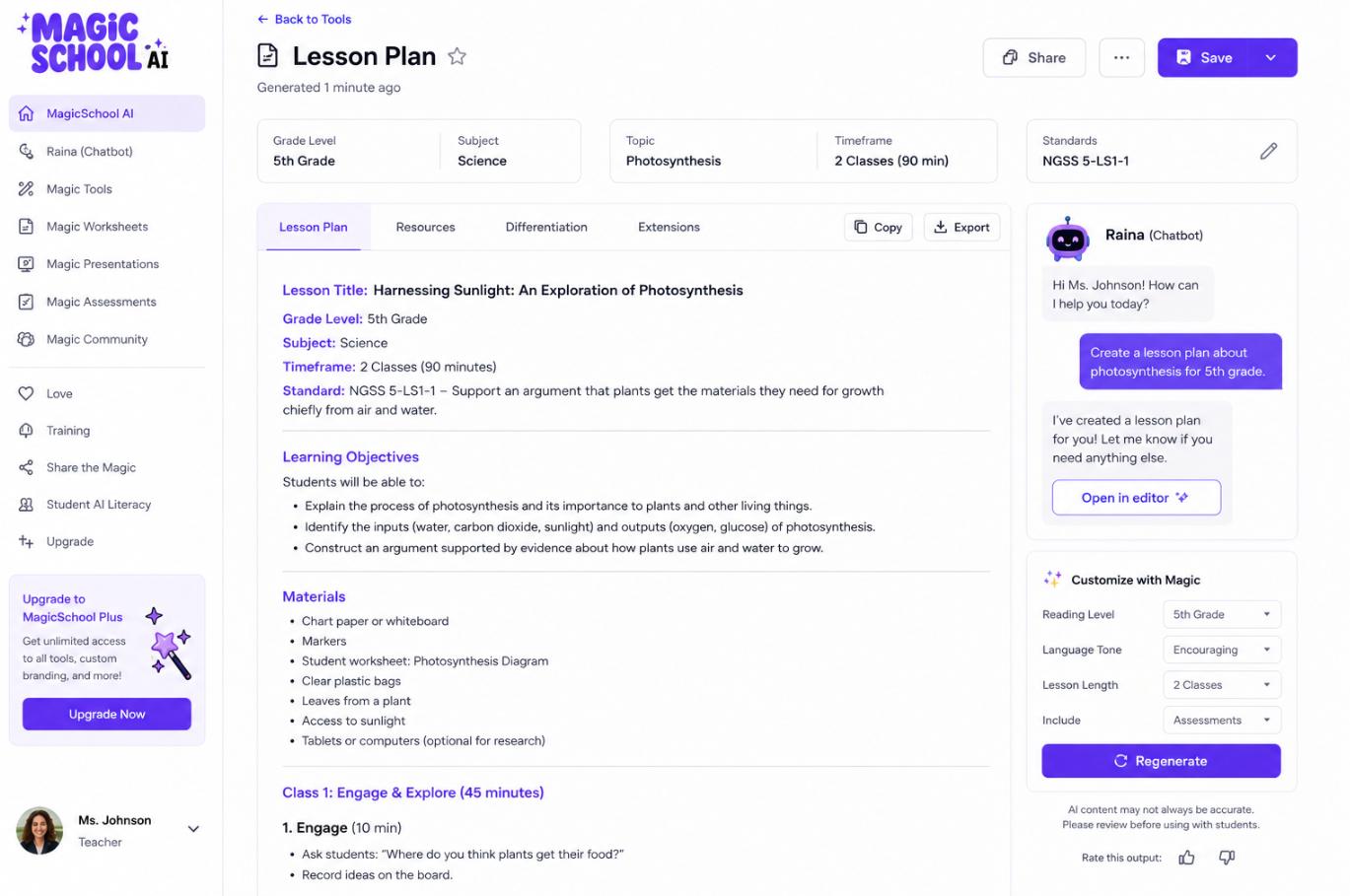
They batch. Instead of running the platform once per task, they spend twenty focused minutes at a time — say, on a Sunday evening or during a planning period — running a queue of related tools for the upcoming week. A lesson plan, three differentiated versions of the same worksheet, a formative assessment, a family newsletter, an email to a specific parent, all produced back-to-back. The setup cost of getting into the platform amortises across the batch.
They edit ruthlessly. The best users treat AI output as a first draft, not a finished product. Adjusting a text to their own voice, correcting a misalignment with standards, and stripping out generic phrasing takes a fraction of the time original creation would have — but it does take time, and pretending otherwise leads to distributed material that reads like it came from a machine.
They keep prompts and preferences. Because MagicSchool tools accept structured inputs, the same input template can be reused across weeks and units. Teachers who save the inputs for their favourite tools — their preferred grade-band, subject focus, standards framework, tone — get consistently better output than teachers who fill the forms from scratch each time.
They pair AI output with student data they already have. The most powerful use of the platform is not generating in a vacuum but generating against context — feeding in reading levels, error patterns, or IEP goals as part of the tool’s input. Output aligned to specific student needs is the difference between a helpful draft and a generic one.
What the platform genuinely does well
A few things about MagicSchool are worth naming directly.
The tool taxonomy is deep. New teachers coming to the platform find named tools for tasks they did not know had been captured as templates, and experienced teachers regularly discover tools they had missed. The breadth is one of the platform’s real advantages against general-purpose AI chatbots.
The interface respects the teacher’s expertise. Output is presented as a draft to review, edit, and export — not as a finished product to accept. This posture matters, both practically (because teacher review catches errors) and pedagogically (because it keeps professional judgement in the loop).
School and district onboarding is a real product. MagicSchool has invested visibly in the version of the tool used at district scale, with administrator controls, single sign-on integration, safety guardrails, and student-facing tools available under supervised conditions. That professional-services layer distinguishes serious edtech from a homepage-and-checkout.
Community and training exist. Teacher-led communities, ambassador programmes, and structured training resources reduce the gap between purchase and productive use. Districts that adopt the tool without accompanying training see much lower adoption than those that pair the licence with meaningful professional learning.
The limits worth naming
No AI education tool is a substitute for teacher expertise, and MagicSchool is not exempt from the category’s general weaknesses.
Accuracy on subject-matter detail is variable. AI models are trained on broad corpora and sometimes produce plausible but incorrect content — a wrong historical date, an over-simplified scientific explanation, a math problem with an internally inconsistent answer key. Any generated content that will end up in front of students should be checked, especially in tested subject areas.
Voice standardisation is a real risk over time. If every teacher in a school leans on the same tool to generate parent emails and lesson introductions, communications home may all start to sound the same. Districts can mitigate this by encouraging teacher editing rather than direct-sending, but it is a live concern.
Student-facing use requires care. MagicSchool has student tools that operate under teacher supervision, but any AI tool that interacts with students directly imposes safety, privacy, and pedagogical considerations that need explicit district-level decisions.
Prompt-injection and hallucination in feedback tools deserves particular caution. Generating feedback on a student’s writing means the model reads the student’s text, which occasionally contains content that shifts the model’s behaviour in unexpected ways. Teacher review before returning any AI-generated feedback to a student is the correct baseline.
Practical fit — who benefits most
The teachers who report the highest satisfaction with MagicSchool AI cluster in a few categories.
Special-education teachers benefit disproportionately from the IEP and behaviour-plan tools, both because the documentation burden is high and because good models can compress hours of drafting into minutes of review.
Multi-preps secondary teachers — the physics-and-chemistry-and-earth-science generalist, the middle-school ELA teacher covering four grade levels — save meaningful time on differentiation and content adaptation. When you owe five different versions of similar material, the compounding is real.
Newer teachers, still building their template library, get more benefit than seasoned veterans who already have decades of accumulated materials. This is a common pattern in edtech adoption.
English-learner support staff and bilingual teachers benefit from the translation and language-scaffolding tools, which can meaningfully shorten what would otherwise be a very long communication and adaptation workflow.
A working position on MagicSchool AI
MagicSchool is a competent, actively developed AI platform aimed at genuine teacher workflows. It is not a substitute for pedagogical expertise, subject-matter mastery, or the relationship-based work that defines good teaching. What it does well is compress the surrounding paperwork, planning, and communication tasks that used to consume evenings and Sundays into blocks measured in minutes.
Whether that trade suits any specific teacher depends on their current stack, their subject area, their comfort with reviewing AI output, and their district’s policies around AI use. The honest answer for most teachers evaluating it in 2026 is that a serious trial — running a real week’s worth of work through the platform, editing the output, using the results in the classroom — will produce a clearer verdict than any review can. The platform’s design invites exactly that kind of practical evaluation, which is one of the small things that separate it from tools that fail to survive contact with an actual classroom.