SFM Compile (Rendering, Asset Pipelines, and Community Sites)
Search for “SFM compile” and the results split cleanly in two directions. On one side, actual users of Source Filmmaker — Valve’s free animation tool — looking for how to compile, export, and render their projects. On the other, people looking for SFM Compile Club, a community website that hosts SFM-produced animations. The overlap between the two audiences is smaller than the shared search term suggests, and separating them is the first useful move.
Source Filmmaker itself, briefly
Source Filmmaker (SFM) is Valve’s free animation tool, built on the Source engine that also runs Team Fortress 2, Left 4 Dead 2, and Portal 2. It was released in 2012 as the tool Valve had been using internally to produce the animated shorts for TF2 and its meet-the-team series. Fifteen-plus years later it remains widely used by hobbyist animators, machinima creators, and specific communities that have built around its distinct aesthetic and asset library.
The tool’s continued relevance is a specific case in software: not updated aggressively, not competing on modern features, but retained for the combination of accessibility, a huge community asset library, and the recognisable Source-engine look. Newer tools — Blender with its various render engines, Unreal Engine’s animation capabilities — outclass SFM technically, but SFM’s low barrier to entry and community ecosystem keep it central for a specific audience.
What “compiling” actually means in SFM
The word “compile” appears in several contexts inside SFM workflows, and confusion between them is common among newcomers.
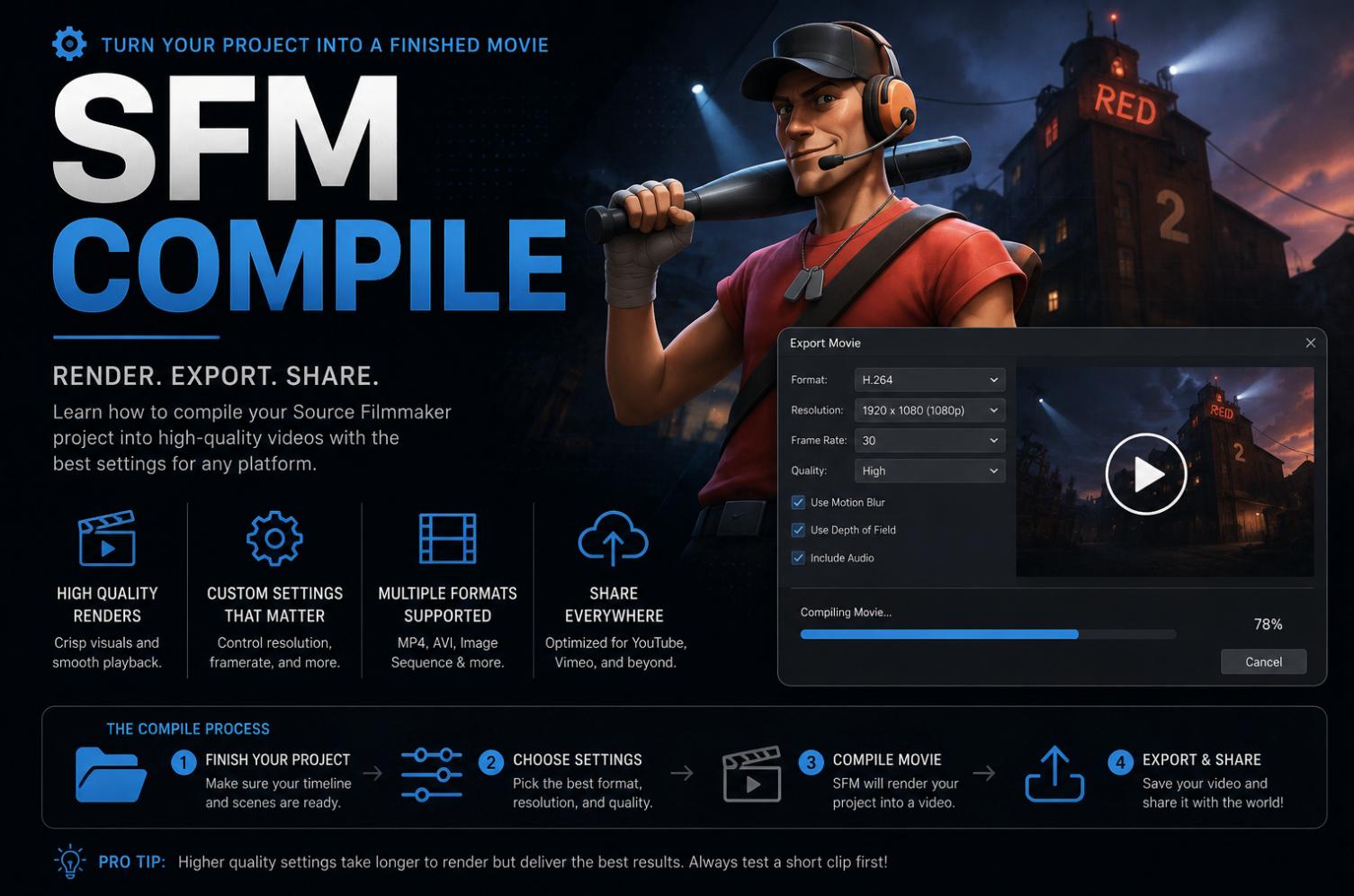
The most common meaning is rendering the final video output. Once an animation is finished in SFM’s session timeline, the creator exports it to a video file — this is the compile step in casual usage. The process turns the interactive session file into a rendered video that can be uploaded to YouTube, shared on Twitter, or embedded elsewhere.
A separate meaning appears when working with custom assets. Models, textures, and maps used inside SFM need to be compiled from source files (like the .qc and .smd formats used across the Source engine) into the compiled formats SFM actually reads. This is a different process, uses different tools, and is a much more common source of frustration for creators adding custom content to their scenes.
A third meaning appears in the context of complete-project distribution. Some creators speak of “compiling” the full project into a shareable package that can be posted for community remix. This is less standardised and refers more to a collection habit than to a specific tool operation.
The rendering compile — step by step
For creators trying to actually export finished animations, the standard workflow inside SFM looks like this:
- Finish the animation in the session timeline. Confirm audio synchronisation, camera cuts, and any post-render effects are set correctly before starting the export.
- Open the Export Movie dialog from the File menu.
- Choose the output format. Image sequence (individual frames) is standard for later assembly in a video editor; direct video (AVI or WMV) is faster but lower quality. Image sequence gives more flexibility for colour correction, editing, and re-encoding.
- Set the resolution, frame rate, and quality settings. 1080p at 30fps is a reasonable baseline; 60fps produces smoother motion but doubles the render time.
- Configure ambient occlusion, motion blur, depth of field, and any other post-processing options. These have significant impact on render time — heavy AO and motion blur can multiply per-frame render time by an order of magnitude.
- Choose the output directory and confirm the filename pattern.
- Start the export. Expect long render times for anything beyond a few seconds of complex animation; SFM renders one frame at a time and does not use multi-core CPU or GPU acceleration in the way modern tools do.
- Assemble the exported image sequence into a video file using an external editor — DaVinci Resolve, Adobe Premiere, or the free HandBrake for simple encoding — with the audio track exported separately from SFM.
The single biggest lesson SFM creators learn about compiling is that the render is the least tolerant part of the workflow. Small errors in the session file, missing assets, or crashed frames during the render are painful to recover from. Doing test renders at low resolution before committing to a long final render is standard practice.
The asset compile — where most frustration lives
Custom models, particle effects, and maps require a separate compile step outside SFM itself. The tools involved include StudioMDL (for models), VBSPInfo and VBSP (for maps), VTEX (for textures), and a set of community-maintained utilities that wrap these in more usable interfaces.
The recurring failures in this pipeline include mismatched .qc file references, missing texture paths, incorrect Source-engine version targeting, and — with older assets — compatibility with SFM’s specific fork of the Source engine, which differs from the fork used by TF2 and other games in subtle ways.
The workable approach for creators without technical backgrounds is to lean on community asset packs distributed already-compiled for SFM, rather than compiling assets from raw source files. Most of what a hobbyist creator wants is available in the SFM Workshop or in community distribution channels in ready-to-use form. The custom asset compile pipeline is best learned incrementally, on small assets, before attempting anything complex.
SFM Compile Club and adjacent community sites
The other reason people search “SFM compile” leads to community sites that host SFM animations, of which SFM Compile Club is one of the more visible. These sites function as galleries where creators upload finished renders — sometimes with source files or session packages for remix — and viewers browse.
Two things are worth knowing about the community-hosting side of the space. First, content spans a wide range in tone and subject. Some SFM community sites are SFW and focus on machinima, character animation, and short comedy; others host adult content. Users navigating these sites should be aware of what they are looking at and comply with the site’s own age verification and content policies. Second, the technical connection between community hosting and the compile step is only nominal — a “compile” in the community context usually refers to the finished rendered output being posted, not to the underlying technical process.
Legal and licensing considerations sit on top of the community layer. Source engine assets are Valve’s, and community redistribution operates under specific tolerances rather than clear commercial licences. Creators building original characters and content are on more solid ground than those redistributing Valve assets outside the intended contexts.
Practical advice for people learning SFM in 2026
The tool is old, the community is stable, and the resources are unusually good for a fifteen-year-old free product. A few practical notes for anyone trying to start.
Follow tutorials that are recent enough to reflect the current tool. SFM has been stable but not unchanged, and older tutorials sometimes reference workflows that have shifted. The active YouTube tutorial creators in the space are worth finding through search rather than through a list that will age.
Join a community focused on the specific kind of work you want to do. Machinima, character animation, cinematic short film, and specific fandoms each have their own subcommunities with their own conventions. Working alongside a specific community produces better learning faster than working in isolation.
Learn one asset pipeline deeply before broadening. Trying to work with custom characters, custom environments, and custom particles all at once is a formula for frustration. Master one, then add the next.
Expect the render time. Complex scenes at high resolution take hours to render, and short animations often reflect that constraint. Plan around it rather than fighting it.
Consider Blender if the ambition of your work outgrows SFM. This is an unpopular thing to say in some SFM communities, but it is true: creators whose projects push against SFM’s limits usually benefit from moving to a more modern tool, and Blender’s free-to-use status and huge documentation base make the transition smoother than it used to be.
Hardware considerations for rendering
SFM’s rendering approach is CPU-bound and single-threaded in ways that modern animation software is not. That has practical hardware implications worth naming.
Fast single-core CPU performance matters more than raw core count. A high-clock-speed six-core processor will out-render a slower-clocked sixteen-core one for typical SFM work, even though the sixteen-core would win in almost every other 3D workload.
RAM matters when scenes get complex. Sixteen gigabytes is workable for most projects; thirty-two comes into its own for scenes with many characters, complex particle effects, or high-resolution texture assets.
GPU matters less than casual comparisons suggest. SFM does use the GPU for viewport preview and some render effects, but the final export is dominated by CPU work, and creators sometimes spend on a top-tier GPU that provides limited benefit for actual render time. Better viewport preview is worth something, but do not expect a modern GPU to transform SFM render times.
Storage speed matters during image-sequence output. Writing many frames to a slow drive can bottleneck the render itself; an SSD dedicated to render output is worth the modest cost for creators who render regularly.
A working close
“SFM compile” is one term that names two related activities — rendering a finished animation, and compiling the custom assets that feed into one — plus a community-site direction that shares the vocabulary. Anyone working with the actual tool benefits from separating these meanings and treating each on its own terms. The tool itself remains a small, functional artefact of a specific moment in Valve’s history, and creators willing to work within its constraints continue to produce meaningful work with it. That is not a dramatic story, but it is the honest one.