TikTok Emoji Codes: The Full List and How to Use Them
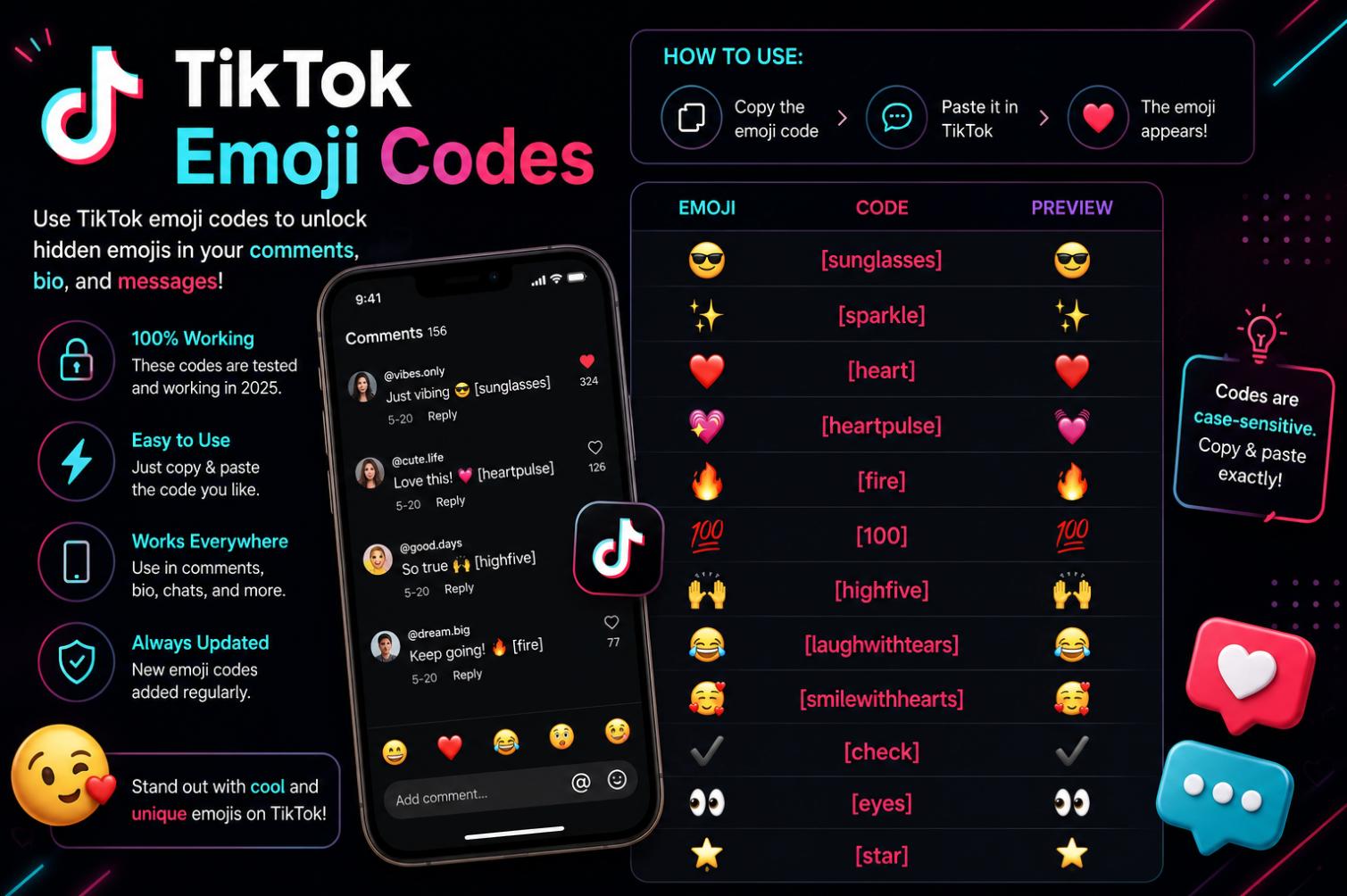
TikTok has one of the more distinctive quirks in modern social-app design: a hidden set of custom emojis that only render when the user types specific bracketed codes. Regular emojis work normally in TikTok comments and captions. But typing something like [smile] produces not the standard yellow smiley the user might expect but a specific TikTok-branded design that only exists inside the app. There are roughly forty-six of these custom emojis, they have been part of TikTok since the app’s early Douyin roots, and their existence is one of those small platform details that regular users learn from other users rather than from any official documentation.
What the emoji codes actually are
TikTok’s secret emojis are a set of custom-designed image-based emojis that ship as part of the app’s rendering layer for comments, captions, and messages. They do not appear in your device’s standard emoji keyboard because they are not Unicode characters — they are proprietary TikTok graphics that the app substitutes in when it sees specific text codes in your input.
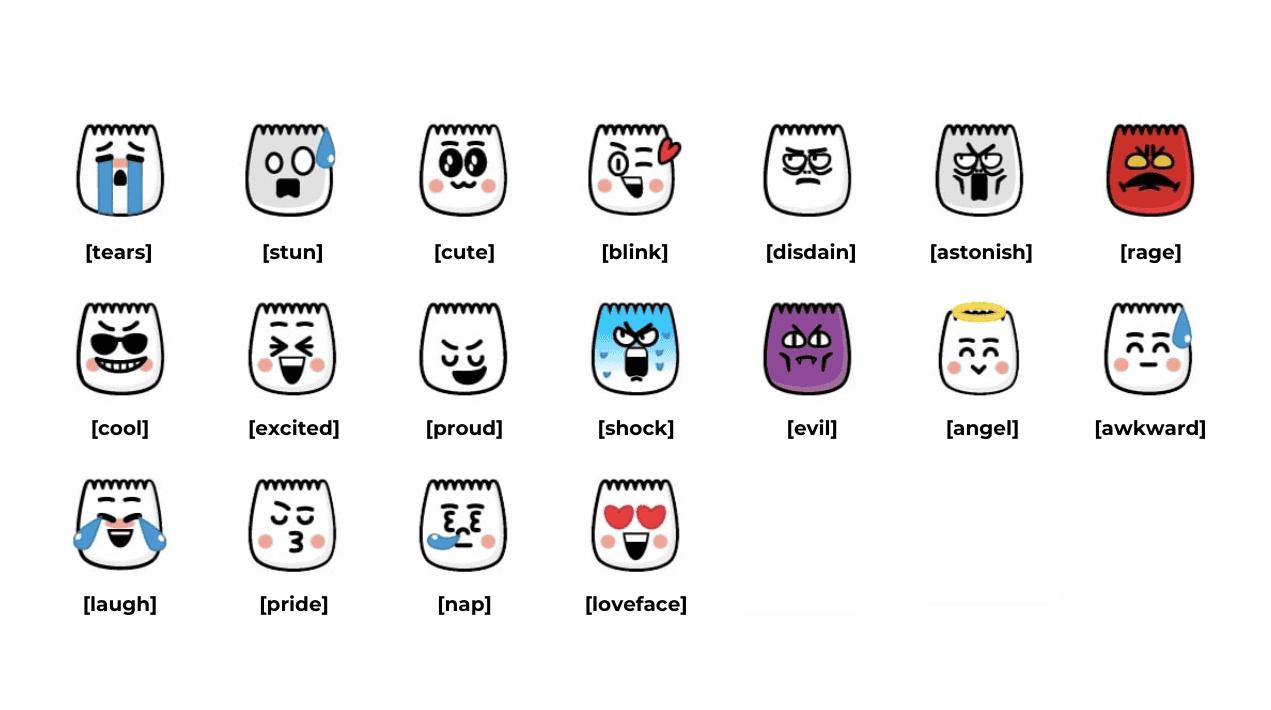
Each emoji has a specific text code, formatted as a square-bracketed English word. The word is the emotional or descriptive term for the emoji — [happy] renders one face, [angry] renders another, [smile] renders a slightly different variant of the happy face, and so on. When you type the code and post, the app performs the substitution and displays the graphic. Anyone else viewing your comment sees the graphic; only in the input field does the code itself appear.
The design of the emojis is consistent with TikTok’s overall visual identity. They are stylised, brightly coloured, and cartoonish in a way that reads as distinctly TikTok rather than as a generic emoji set. That specific design language is why the emojis have become a small identifier in TikTok culture — using them signals platform fluency in the way using specific slang or specific edit styles does.
The full list of codes worth knowing
The codes have been stable for years, though TikTok has occasionally added or refreshed the set. Below is a representative list of the widely used codes; the specific inventory available in your version of the app may vary slightly.
| Code | Type of face or expression |
|---|---|
| [happy] | A big grinning face |
| [smile] | A closed-eye smiling face |
| [laugh] | A laughing face with tilted eyes |
| [wow] | Wide-eyed surprise |
| [love] | Heart-eyed face |
| [cry] | A tearful face |
| [angry] | Angry face with red cheeks |
| [shock] | Wide-open mouth shock |
| [thinking] | Face with a raised eyebrow |
| [speechless] | Flat-mouthed neutral face |
| [proud] | Chin-raised confident face |
| [shy] | Face with a small blush |
| [cool] | Sunglasses face |
| [cute] | A pouty puppy-eyed face |
| [embarrassed] | Flustered face with rosy cheeks |
| [surprised] | Open-mouthed surprise |
| [funnyface] | Tongue-out silly face |
| [joyful] | Ear-to-ear grin |
| [loveface] | Face with heart-blowing gesture |
| [wronged] | Sad puppy-eyed face |
| [flushed] | Red-cheeked flustered face |
| [sob] | Heavy-crying face |
| [weep] | Quietly weeping face |
| [speechless_new] | An alternate speechless variant |
| [greedy] | Drooling face |
| [stun] | Dazed cartoon stars |
| [nap] | Sleeping face with Z |
| [yummy] | Tongue-licking hungry face |
| [complacent] | Smug half-lidded face |
| [drool] | Face with visible drool |
| [scream] | Screaming open-mouthed face |
| [evil] | Grinning devious face |
| [angel] | Halo-topped smiling face |
| [laughwithtears] | Laughing with tears rolling down |
| [rage] | Reddened furious face |
| [wicked] | Sneaky grinning face |
| [facewithrollingeyes] | Eye-roll face |
| [sulk] | Sulking pouty face |
| [think] | Alternate thinking face |
| [lovely] | Sweet smiling face |
| [blink] | Winking face |
| [disdain] | Contemptuous side-eye face |
| [astonish] | Astonished open-mouth face |
| [pride] | Proud head-held-high face |
| [bigsmile] | Wider variant of the smile |
| [tears] | Face with visible tears without full crying |
The above list is representative rather than exhaustive; TikTok has added or renamed some codes over the years, and the exact inventory can vary by region and app version. Anyone who wants the definitive current list can test codes by typing them into a private comment or draft and seeing which render.
How to actually use them
Using the codes is straightforward once you know they exist. Type the code, including the square brackets, exactly as shown. Post the comment or caption. The code renders as the associated emoji for everyone who sees it.
A few practical notes make the experience smoother.
Capitalisation matters in some versions. TikTok’s rendering has historically required lowercase for consistent recognition; typing [Smile] instead of [smile] may not always work. Sticking to lowercase is the safe default.
Spaces are not allowed inside the brackets. [big smile] does not render; [bigsmile] does.
The code disappears once rendered. Once you have posted, the code is replaced by the emoji graphic entirely. The original text is not visible to viewers.
Some codes work in captions but not in comments, or vice versa. The rendering surface differs across contexts in the app, and TikTok has adjusted this at various points.
Why they exist and why they matter culturally
TikTok’s custom emojis have their roots in Douyin, the ByteDance-operated Chinese-market app that shares TikTok’s core technology. Douyin has had a similar hidden emoji system since well before TikTok’s international launch, and the emojis in that context served the same function they do on the global app — a set of proprietary graphics that signal platform-native fluency.
Culturally, using the emojis has become a small identifier. Regular TikTok users learn them from watching other users’ comments, and typing a specific code in a reaction signals that you have been around long enough to know how the platform works. That is a small social currency, but it is real; the specific reason someone uses [wronged] instead of a standard sad-face emoji is that [wronged] reads as TikTok-native.
The emojis have also become part of broader internet culture. Screenshots of specific TikTok comments featuring the custom emojis appear on Twitter, Instagram, and Reddit; the graphics themselves are recognisable to platform-familiar users even when they appear outside the app. That kind of cross-platform recognition is one indicator that a specific design language has landed.
Adjacent hidden features on TikTok
The custom emojis are one of several hidden or underdocumented features on TikTok. A short mention of a few others helps place them in the wider platform context.
Duet and Stitch have specific access controls that regular users often do not know about. Restricting who can duet or stitch your videos is a privacy feature worth using deliberately.
Comment filters can be tuned finely — automatic blocking of specific keywords, review queues for uncertain comments, and community-level guidelines all sit inside the settings and are not enabled by default.
Story-specific privacy controls, discussed in adjacent coverage of TikTok Stories, add another layer to who sees what content.
Draft management has grown in sophistication over the years, and the specific settings for how drafts are stored, backed up, and recovered are worth understanding for creators.
These features are not secrets exactly, but they are underused because TikTok does not surface them prominently. The custom emojis sit in a similar category — legitimately available, culturally significant, but discovered mostly through community rather than through the app’s own onboarding.
Where the emojis do and do not appear
A specific piece of information that keeps surprising users is where the codes actually render. The rendering surface is not universal across all TikTok’s text inputs.
Comments render the codes reliably. This is the primary place users see and use them.
Captions on posted videos render the codes as well. Creators can include a specific emoji in their caption by using the code, and the rendered graphic appears alongside the standard emoji set.
Direct messages have historically also rendered the codes, though this behaviour has varied by app version and by region. Users who see the code in an inbox message and not the emoji are likely on a version that has not rolled out the rendering to that context.
Profile bios sometimes render the codes and sometimes do not. This inconsistency has been true for years and appears to reflect specific implementation decisions in the profile-rendering code rather than a deliberate restriction.
Live streaming captions and chat do not consistently render the codes; the specific behaviour depends on the streaming interface’s implementation.
Cross-platform sharing — screenshots or shared TikTok links viewed outside the app — preserve the codes as text rather than as the intended graphics. This is why TikTok comments shared to Twitter or Instagram sometimes show something like “That comment was amazing [laugh][laugh][laugh]” rather than the emojis.
Common questions users ask about the codes
A few recurring questions come up when users first learn about the code system.
Can I use these emojis outside TikTok? No. The graphics are proprietary to TikTok’s rendering layer. Copy-pasting a code into another app just produces the literal text, not the emoji.
Do the codes work on Douyin? Douyin has a similar but separately maintained set of custom emojis; the code words are usually in Chinese rather than English, so English codes typed into Douyin will not render the same graphics.
Can I request new custom emojis? The set is maintained by TikTok centrally; there is no user-request pathway for new custom emojis. Additions happen periodically at TikTok’s discretion.
Will the codes change? The core set has been stable for years. Occasional additions and refreshes have happened, and users who track the space usually notice new codes appearing within days of release. A code that worked six months ago should still work today unless TikTok has specifically removed it.
A short close
TikTok’s hidden emoji codes are a small, specific design choice that has become a cultural artefact inside the platform. Learning them is not necessary for using the app, but knowing them adds a small dimension of platform fluency that regular users enjoy. Anyone comfortable with the codes will find their comments and captions read slightly more TikTok-native than those that stick to standard emojis, and that is a small but real thing in a space where platform-specific visual language matters. The codes are stable, learnable in an hour, and worth the small investment for anyone who spends real time in TikTok comments.